Overview
This release delivers improvements across navigation, file viewing, and user experience, alongside a set of new features designed to enhance day-to-day usability and integration capabilities. New Features include New Microapps, Enhancements to microapps, Release Notes Access, VG Mails to Me in casefiles, Custom Vessel Groups, Microsoft 365 Integration, Agent Skill System.New Features
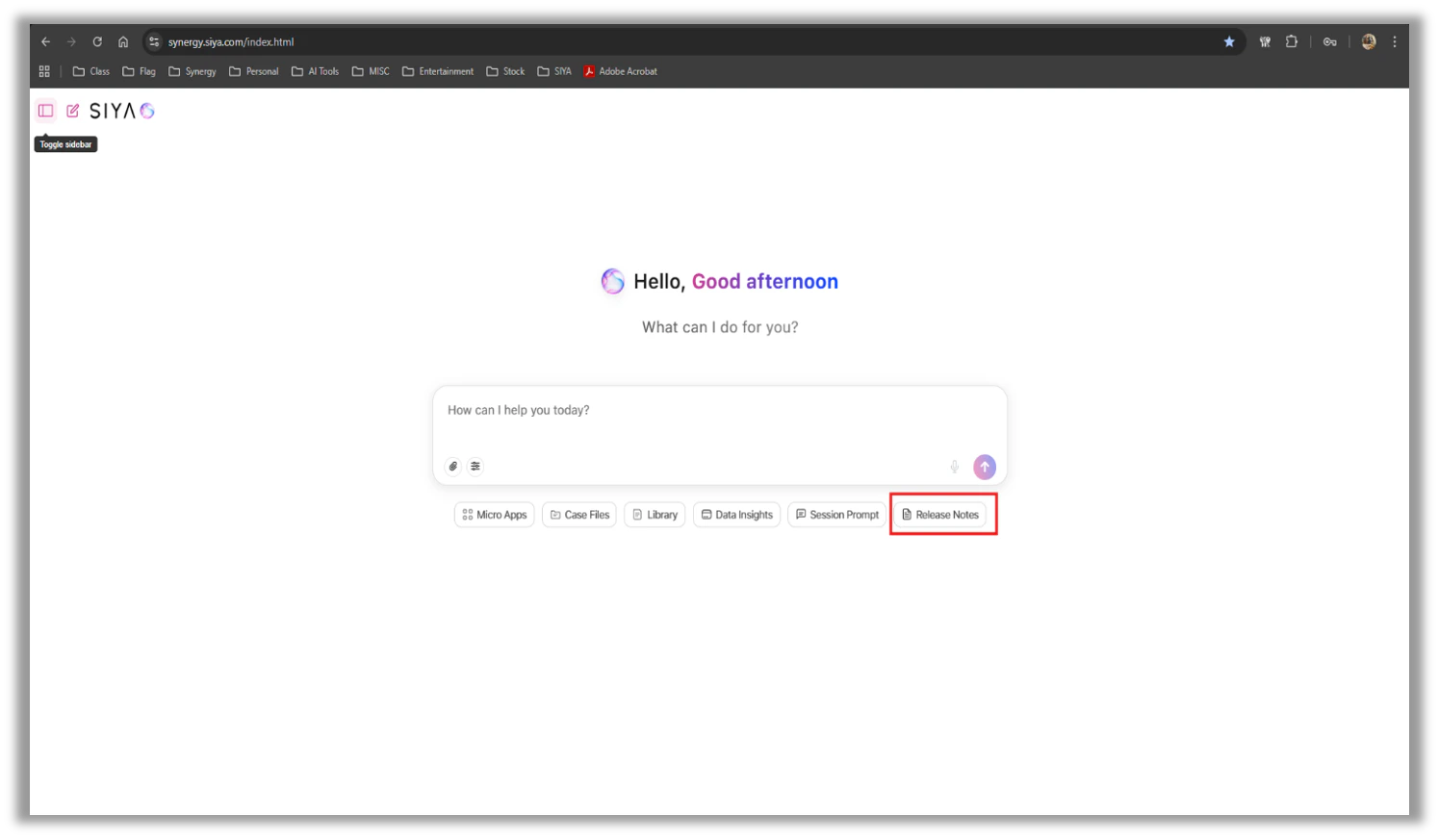
- Release Notes Button: Quick Access to Version History — A Release Notes button is now available for all users, to view and browse what’s new and what’s changed in SIYA.
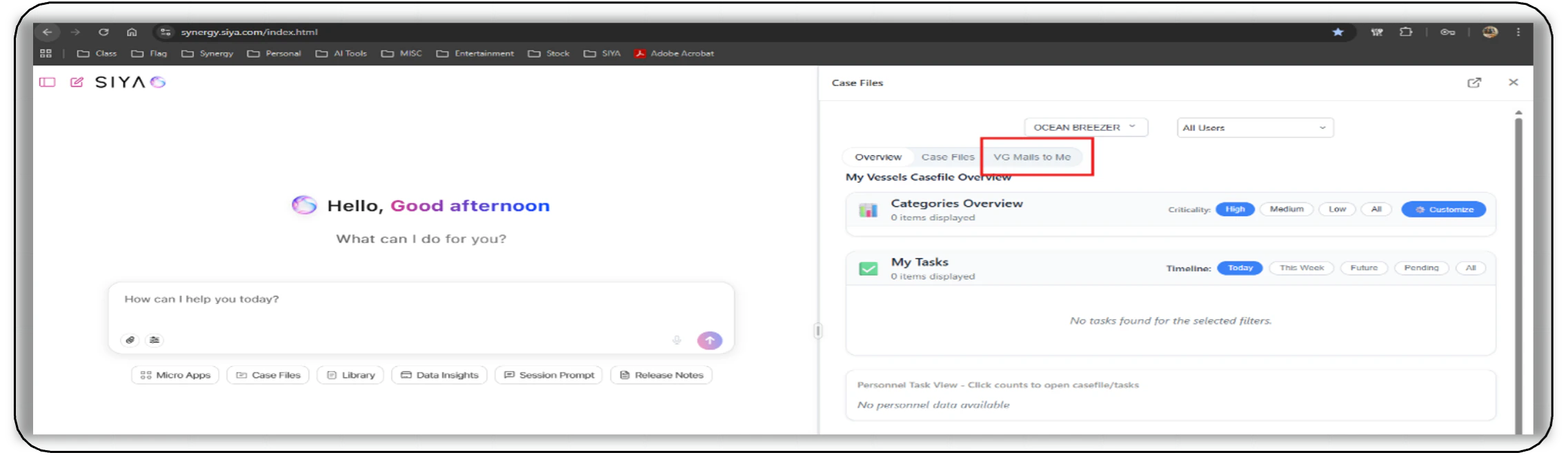
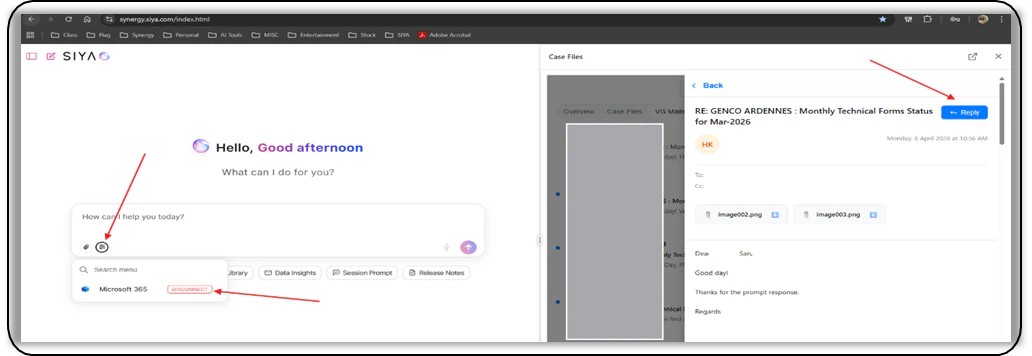
- Mails to Me: Stay on Top of Emails Where You Are Tagged — Emails where the user has been tagged or mentioned by name now appear automatically in a new “VG Mails to Me” section inside the Casefile window. Users can view and reply to these emails directly from the Casefile. Replying requires Microsoft 365 to be connected.
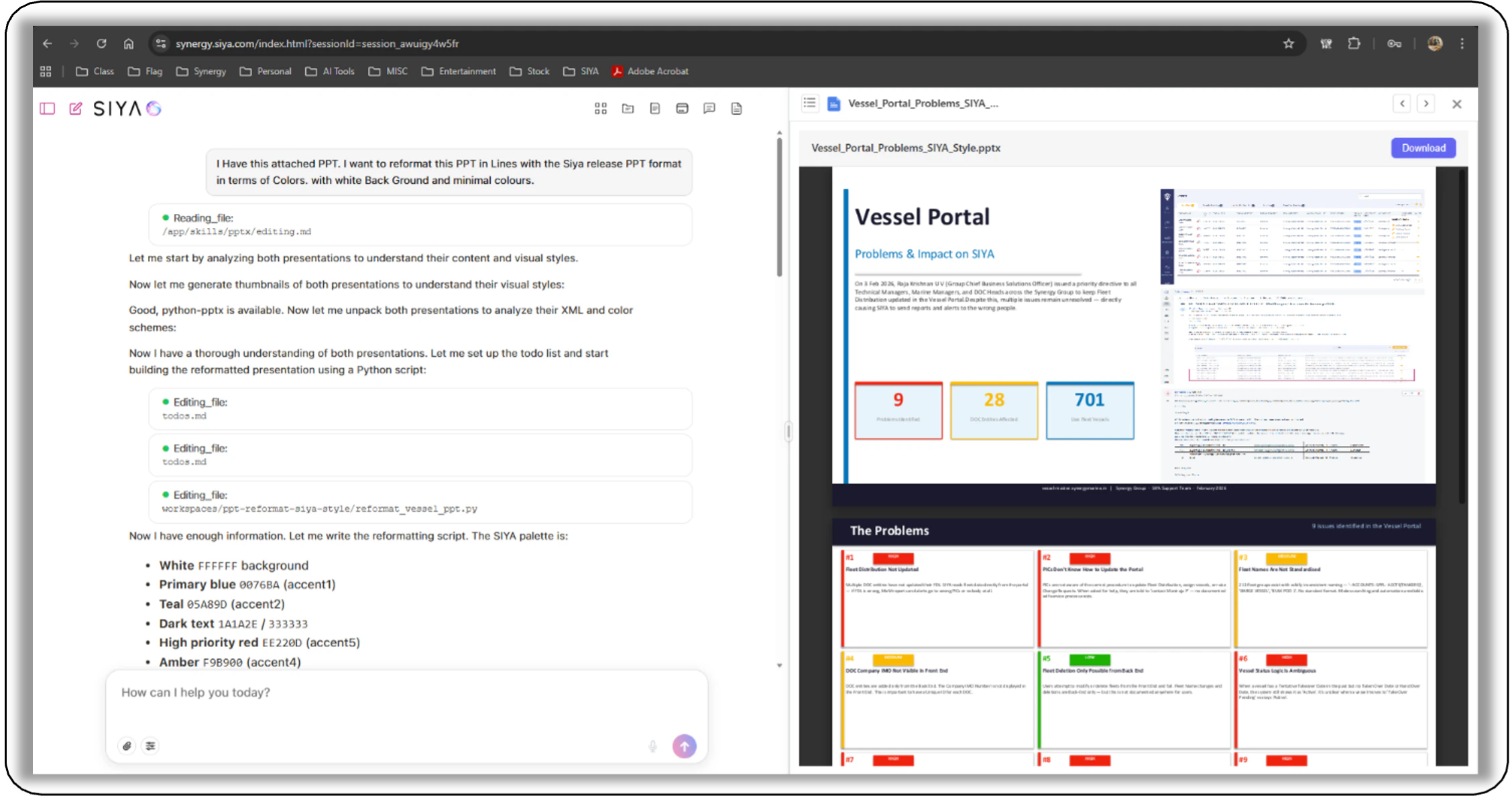
- Agent Skills System: AI That Can Discover and Use New Abilities — A new Skills framework has been introduced, allowing the AI to discover, activate, and improve its own abilities. Hence allowing the user to create any type of file based on his requirement in Chat.
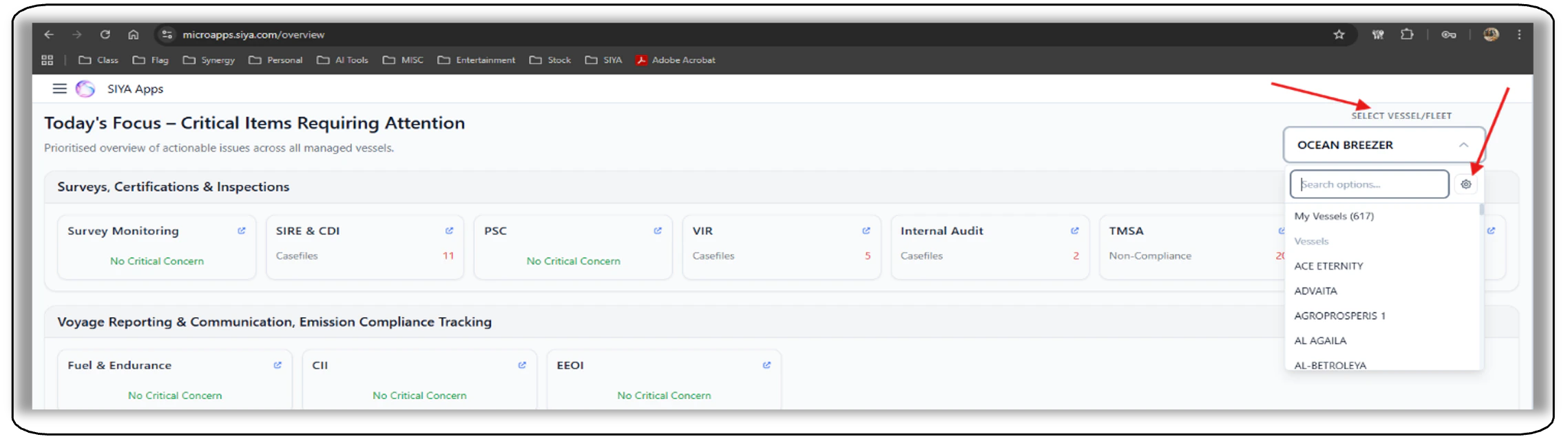
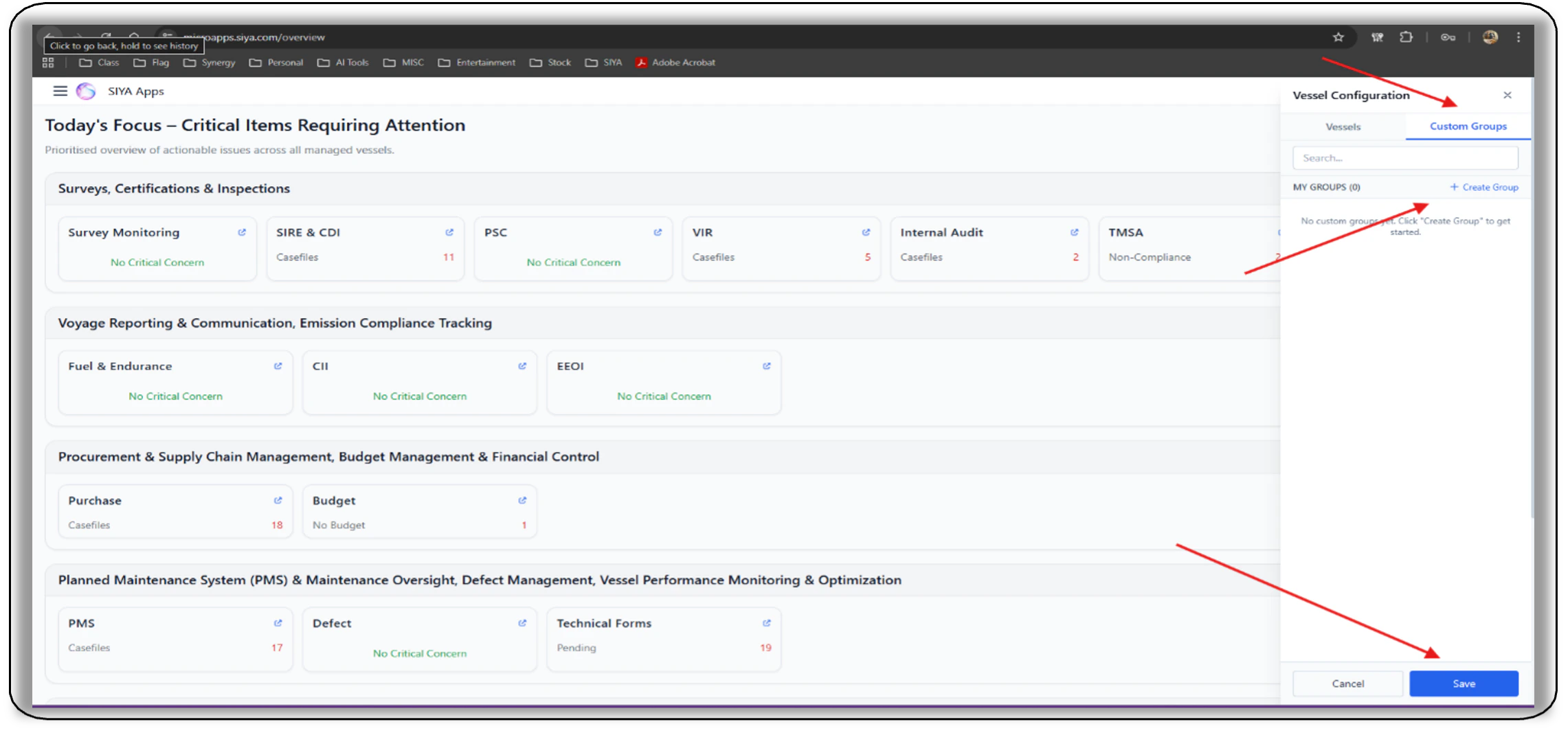
- Custom Vessel Groups: Customize your vessel into groups for better data viewing - Custom vessel groups can now be created for customized data visibility in the “Select Vessel / Fleet” Selection - “Vessel Configuration” Tab.
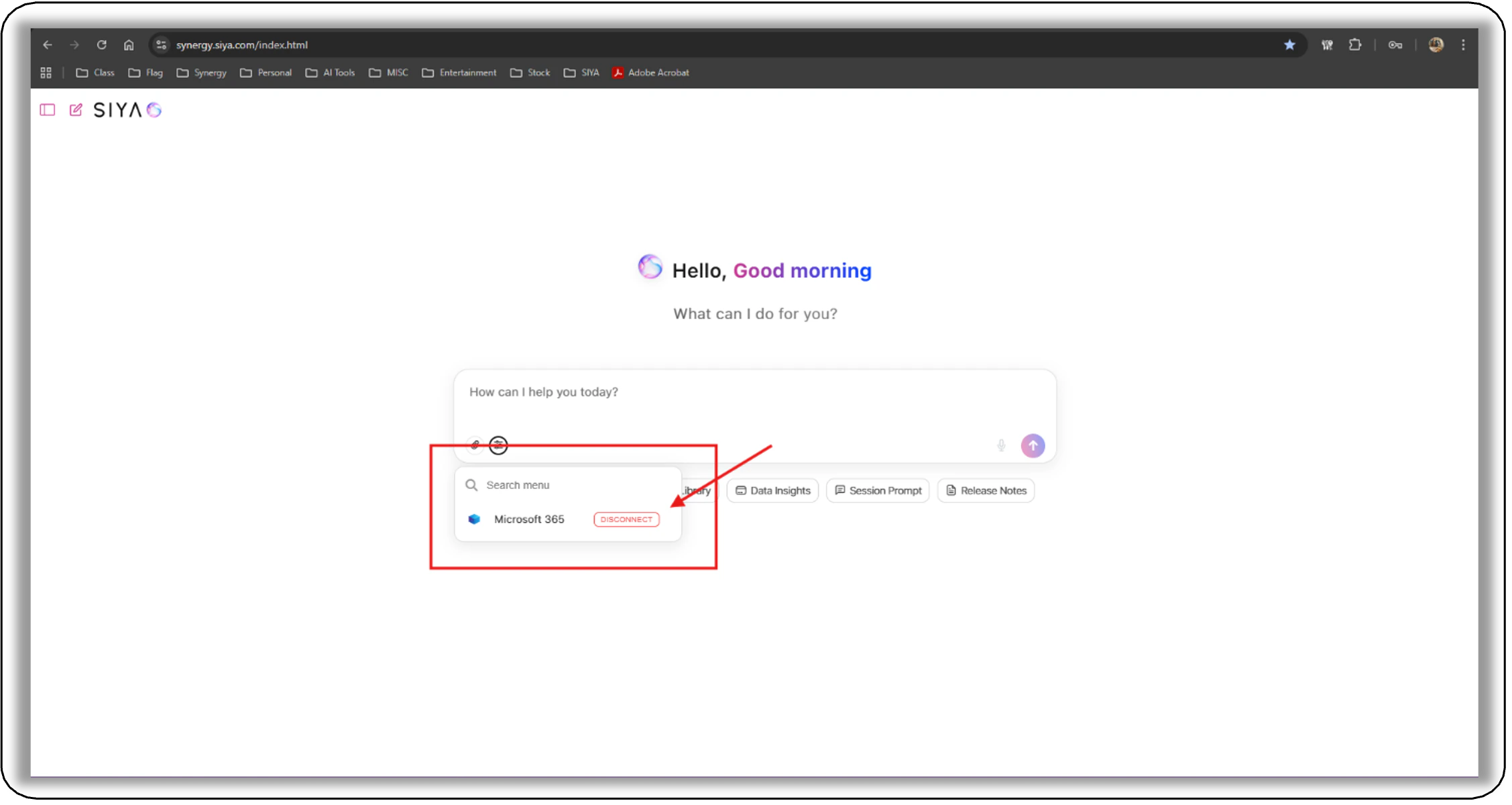
- Integrations: Microsoft 365 Now Connected — The app now connects to Microsoft 365 for a cleaner and more organized experience with Outlook and Teams.
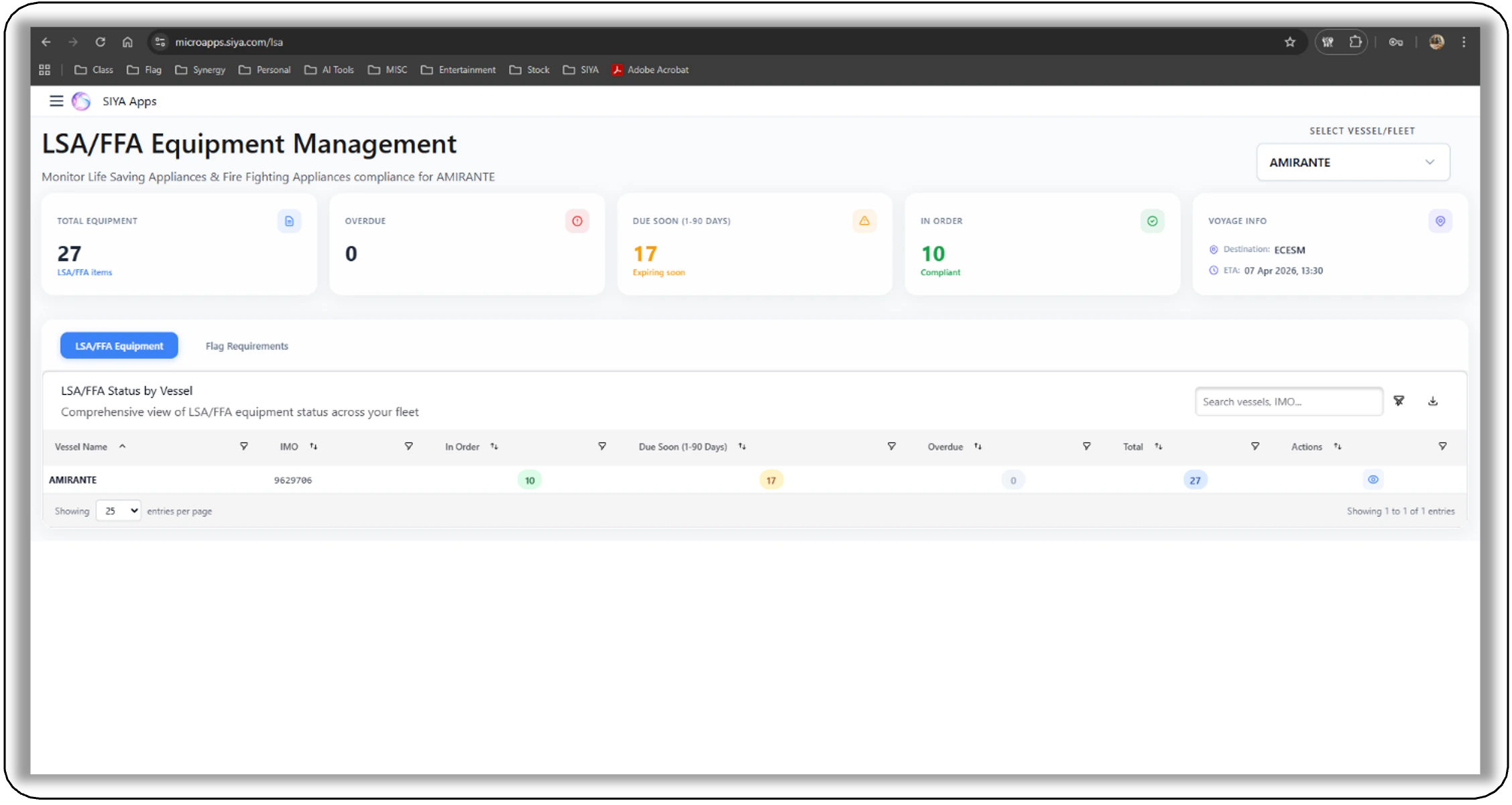
- LSA/FFA microapp: Tracking your LSA/FFA maintenance status — The microapp tracks the status of LSA and FFA onboard for vessels under MMPL contract giving a clear overview to the PIC in a concise dashboard.
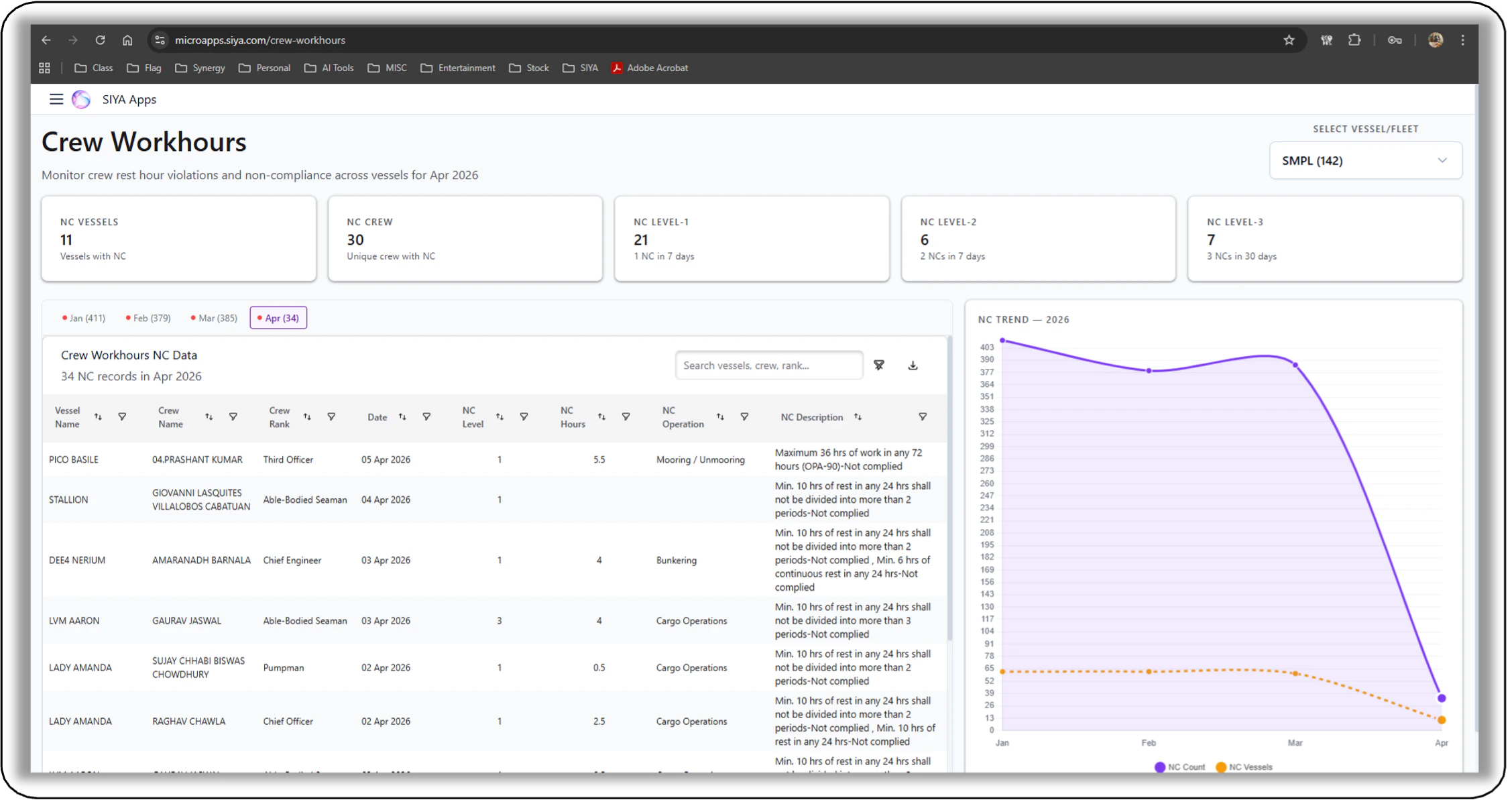
- Crew Work Hours microapp: Tracking the crew work / rest hours compliance - The microapp tracks the crew work / rest hours compliance onboard. It obtains data through the “CreWerks” application for vessels using the application and presents any NCs in a structured format.
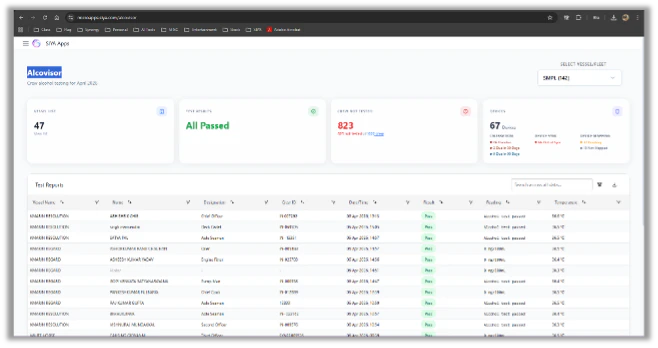
- Alcovisor microapp: Tracking the crew Alcohol Policy compliance - The microapp tracks the crew Alcohol Policy compliance onboard. It obtains data through the “Alcovisor” application for vessels using the application and presents any NCs in a structured format.
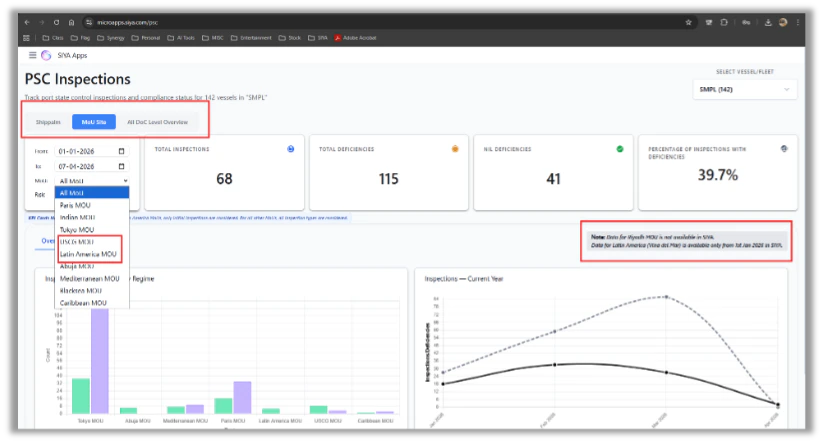
- PSC microapp enhancements: new enhancements made in the PSC microapp - The Following new Features have been added in the PSC microapp. a. Shippalm tab – PSC Data from Shippalm. b. All DOC level Overview tab – PSC data overview for all DOCs. c. Two New MOUs: Latin America and USCG PSC data included.
- New Email Notifications: New Email alerts from SIYA - The following new email alerts have been included in the email alerts of SIYA. a. China Port call email – Triggered every day notifying the relevant teams of their Vessels calling Chinese ports. b. Vessel Issues email – Triggered every Monday for SPPL and SMBL/SMSL DOCs with a Summary. Also, a Bi-Weekly Summary mail is sent every Thursday.
Improvements
- Input Area: Better Layout Across All Screen Sizes — The text input area now adjusts more naturally on any screen size, whether on a small laptop or a wide monitor.
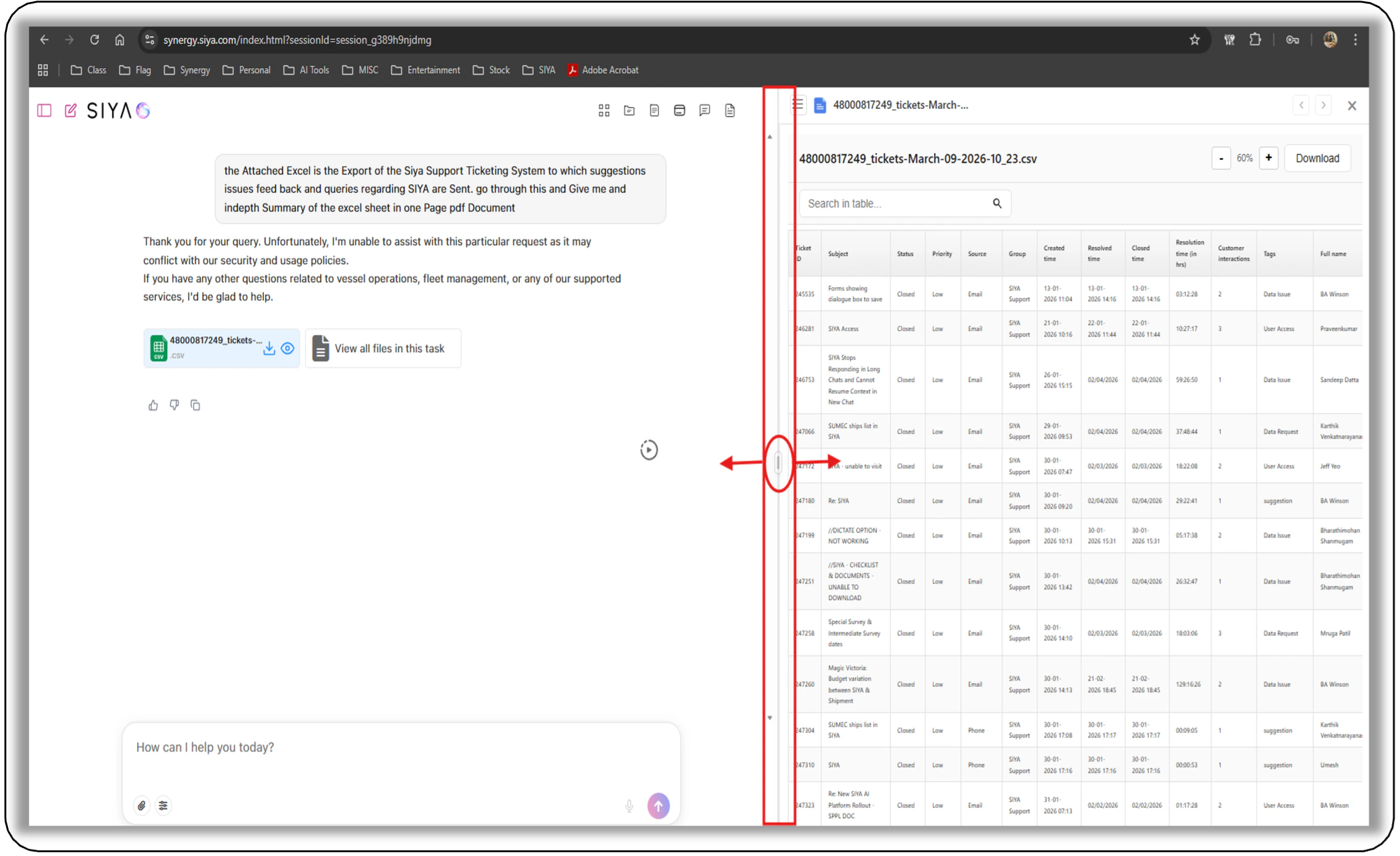
- File Preview: Clears Correctly When Switching Files — When moving between files using the arrow keys, the previous file preview now clears properly, always showing the correct file content.
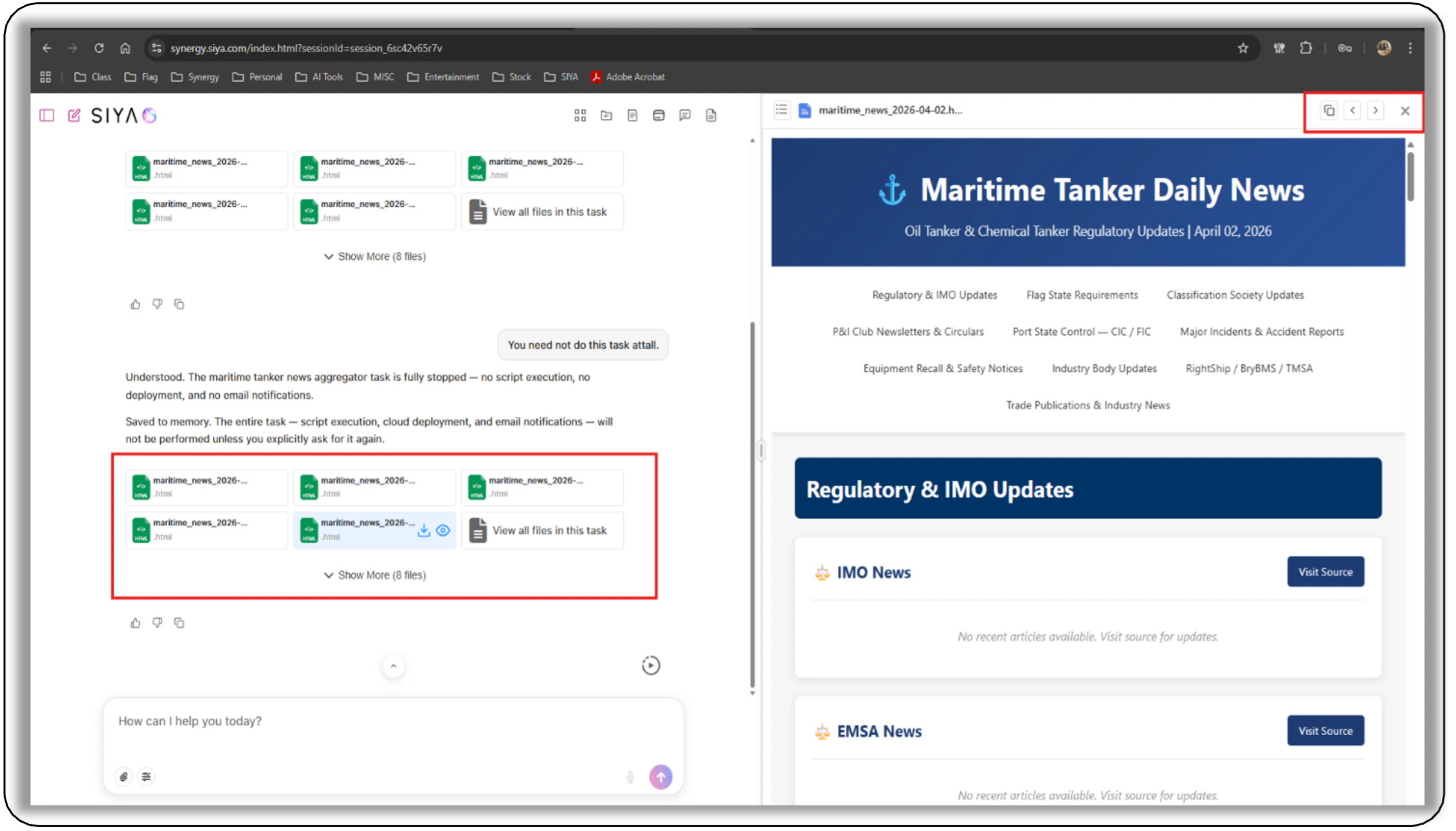
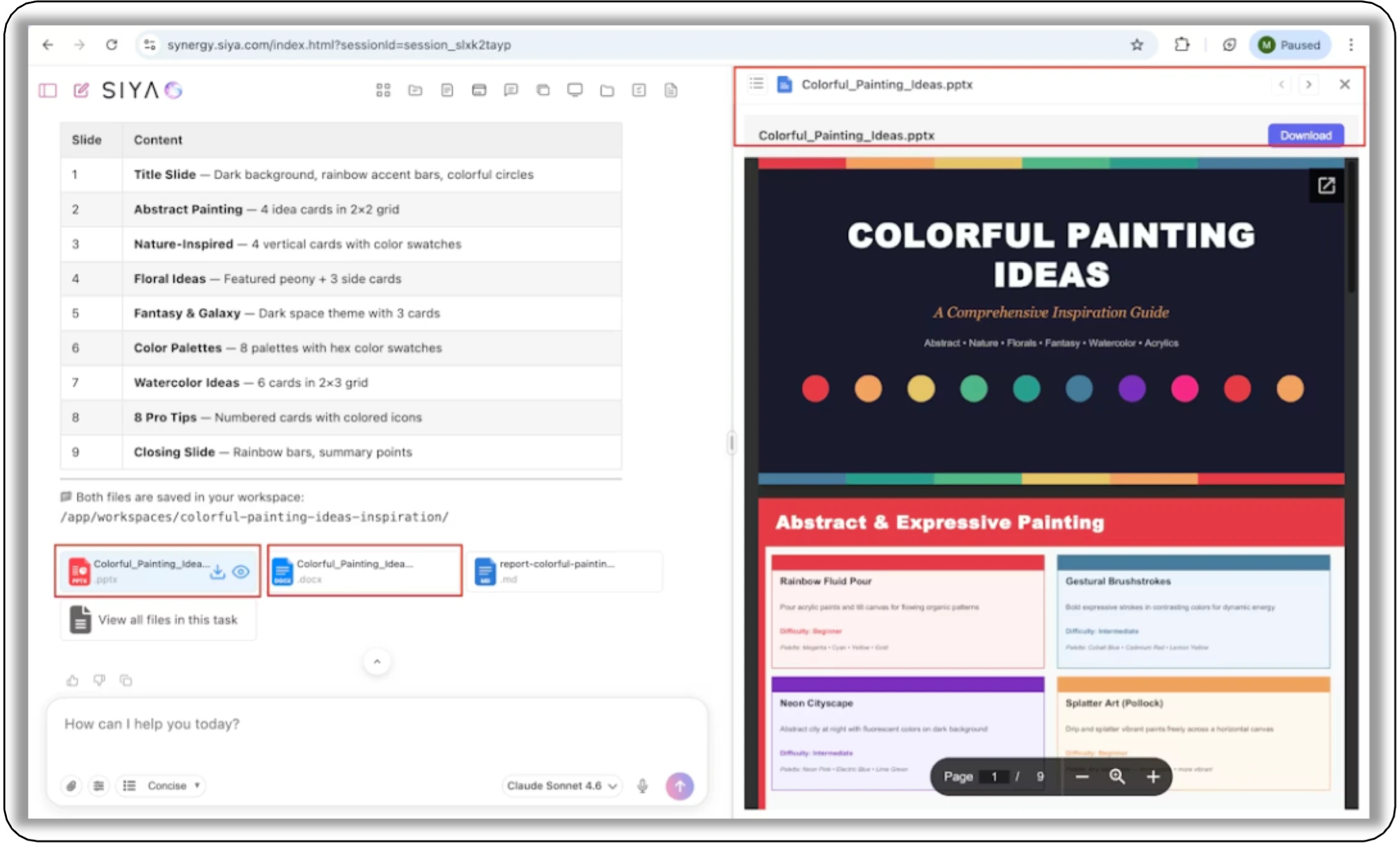
- File Viewer: Enhanced Viewing and Download Support - Now Excel, CSV, PowerPoint, DOC, DOCX, PDF, html, etc. files are all also now supported and can be viewed and downloaded seamlessly.
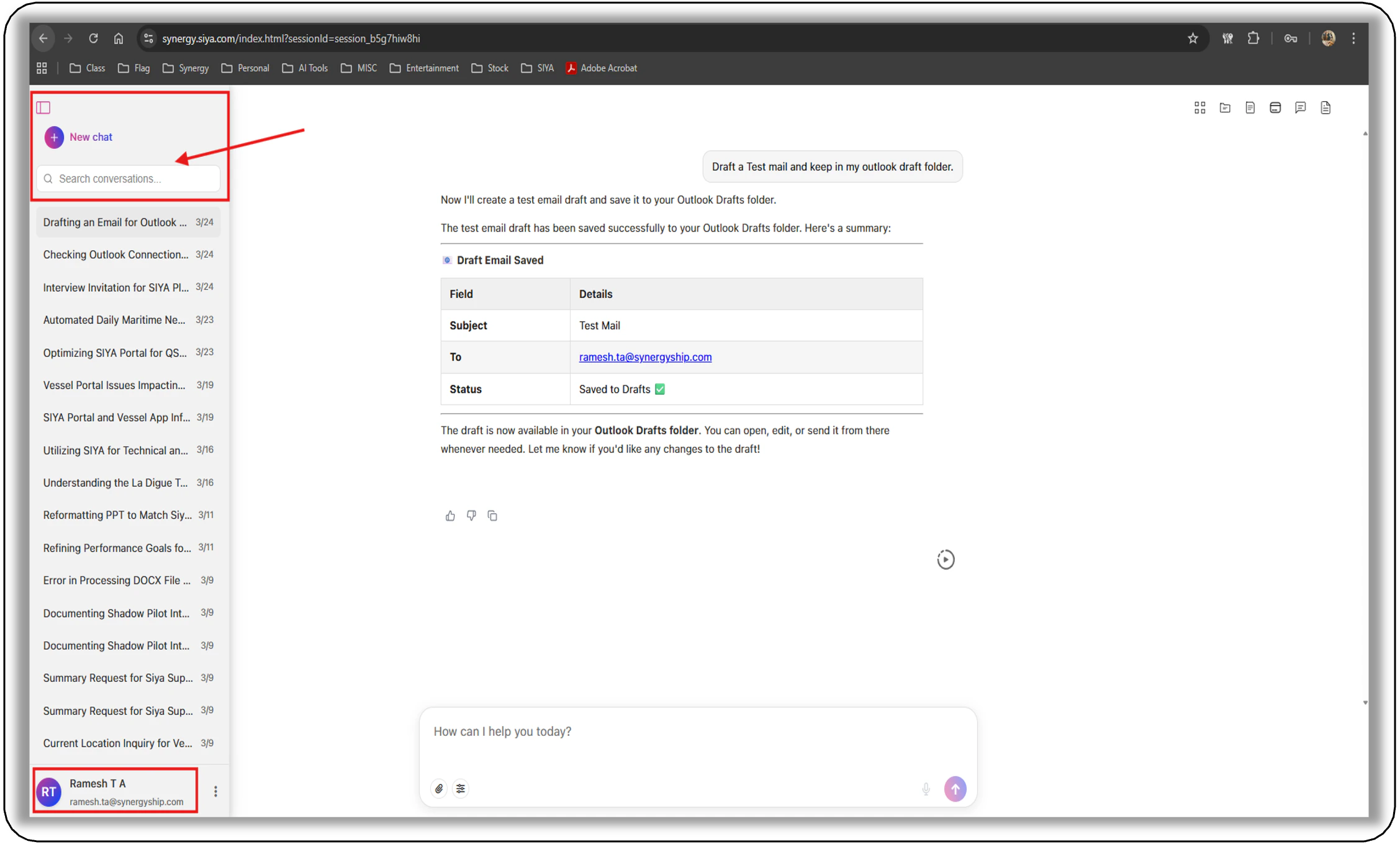
- Conversation Search: Find Chats Quickly from the Sidebar - A new search feature in the sidebar allows users to quickly find and navigate to any past conversation.